Showing posts with label jdk11. Show all posts

Thursday, 7 October 2021

Running Payara Micro on Java 11 via GraalVM on Docker on Jelastic

Boy, that title was a mouth full.

Now if you want more information on Docker, you can check out reference [3]. Or if you're looking for Java 11 GraalVM Dockerimages suitable for Jelastic, you can check out [1] and [2].

This blog is more about the contents of the Dockerimage than Docker itself.

GraalVM

Well, I've been using Jelastic for a while now, and it suited my needs, until it didn't.

They provide GraalVM out of the box, but not the Java 11 version yet.

I was using a Payara Server image for Jelastic, and I had good results just installing GraalVM on the Image afterwards and run Payara using that, but I was looking for something a little more lean.

Sooo, in short, I used the GraalVM image used by Jelastic as a baseline in my Docker image (jelastic/javaengine:graalvm-21.0.0.2).

Then it was just install the JDK11 version of GraalVM and create my Image.

Less troublesome than I thought it would be.

Payara Micro

So Payara Micro is awesome. The way this differs from Microprofile, is that Microprofile contains only Microprofile and the Payara Micro basically seems to be a small Payara server run from the command line. It is based off the Payara Embedded Web release. See [4].

So there's basically two things:

  1. you run it from the command line using java and the payara-micro-5.2020.7.jar
  2. you provide a postboot file containing the settings

Example

Let's try an example.

The example basically runs a Payara Micro instance, with some wars deployed and a JDBC library for connecting to a database.

All configuration of the database connection is done using the afore mentioned postboot file.

Some notes on the postboot file.

  • I am not interested in Hazelcast, so I turned this off. The main result should be faster startup.
  • I added eclipselink.target-database to the jdbc string, otherwise the JDBC driver will identify itself as MariaDB driver, and it is unknown. You can immediately tell by the following error message in the log:

    Not able to detect platform for vendor name [MariaDB[10.4.20-MariaDB, 10]]. Defaulting to [org.eclipse.persistence.platform.database.DatabasePlatform]. The database dialect used may not match with the database you are using. Please explicitly provide a platform using property "eclipselink.target-database".

  • I also added a config property to it. Microprofile (which is included) has support for Configuration. And it's great!

Secure Socket Layer

There's a simple self signed SSL Certificate included in the Payara Micro, which works fine, unless, like me, you wish to use a genuine SSL Certificate.

The idea here is to expand on the command line (see above in run.sh) with SSL options, for example as follows:

  • -Djavax.net.ssl.trustStore="/home/jelastic/cacerts.jks"
  • -Djavax.net.ssl.keyStore="/home/jelastic/keystore.jks"
  • -Djavax.net.ssl.trustStorePassword="changeit"
  • -Djavax.net.ssl.keyStorePassword="changeit"

References

[1] Dockerhub - my jelastic graal with jdk 11 docker image
https://hub.docker.com/r/maartenl22/jelasticgraaljdk11
[2] Github - Docker file
https://github.com/maartenl/jelasticgraaljdk11
[3] MyBlog - Docker
https://randomthoughtsonjavaprogramming.blogspot.com/2021/06/docker.html
[4] Payara Micro Documentation
https://docs.payara.fish/community/docs/documentation/payara-micro/payara-micro.html
Releases - graalvm/graalvm-ce-builds
https://github.com/graalvm/graalvm-ce-builds/releases
How to install GraalVM on Linux with alternatives
https://gist.github.com/ricardozanini/fa65e485251913e1467837b1c5a8ed28
GraalVM - GraalVM Community Images
https://www.graalvm.org/docs/getting-started/container-images/
Github - graalvm-ce
https://github.com/orgs/graalvm/packages/container/package/graalvm-ce

Wednesday, 16 June 2021

Docker

$ sudo systemctl start docker

Configuration

I am on a low bandwith thing, so needed to add max-concurrent-uploads to the /etc/docket/daemon.json, otherwise I got connection timeouts. (default is 5)

{
  "experimental": false,
  "max-concurrent-uploads": 1,
  "data-root": "/mnt/docker" }

I've since moved the docker data directory ("data-root") to a separate mount ("/mnt/docker"), as it takes up a deal of space.

See reference 1.

Basics

docker pull dockerimageurl
downloads a particular image, probably from Docker Hub
docker images
can show you all the images the docker has at its disposal
docker container create
creates a new container based on an image
docker run --rm -i -t -p portext:portint dockerimageurl
start running a new container (-d is detached, -p is portmap, -i keep STDIN open even if not attached , -t allocates a pseudo-TTY, --rm removes container on exit ), basically does all of the previous steps if necessary

Administration

docker inspect dockerimageurl
shows low level information on the running container
docker exec <container-id> cat /data.txt
run a single command on the container, can be run as long as the master process (pid 1) is running
docker ls [-a]
seems to be exactly the same as ps
docker ps [-a]
list docker containers (-a for aboth started and stopped)
docker attach <the-container-id>
stttach to a running docker container with the ID from docker ps. Convenient if you've run it "detatched".
docker stop <the-container-id>
stop docker container with the ID from docker ps
docker rm <the-container-id>
remove docker container
docker rmi <the-image-id>
removes an image

Examples

Simply running an image can be done with:

docker run --rm -i -t -p 80:8080 -p 443:8181 --name jelasticgraaljdk17 jelastic/javaengine:graalvm-21.0.0.2

"--name" is a nice option to prevent docker from assigning meaningless auto-generated names to your containers.

It will help tremendously if we could look at how an original image was made. This is possible with the history command.

docker history jelastic/javaengine:graalvm-21.0.0.2

Add --no-trunc to show entire command lines.

For example in the example, it will show the following:

IMAGECREATEDCREATED BYSIZE
72627645230f12 days ago24.4MB
<missing> 12 days ago /bin/sh -c #(nop) WORKDIR /etc/init.d 0B
<missing> 12 days ago /bin/sh -c #(nop) LABEL actions=webAccess a… 0B
<missing> 12 days ago /bin/sh -c #(nop) EXPOSE 21 22 25 80 8080 0B

Added 443 8743 to the exposed ports in my new image.

Creating your own image

docker build
build a new container image based on a Dockerfile. (-t is tag)
docker commit c16378f943fe rhel-httpd:latest
docker login -u YOUR-USER-NAME
logging into the Docker hub
docker tag c16378f943fe YOUR-USER-NAME/name
tag your image appropriately before pushing it to the repo
docker push imagename:tag
pushes an image to a remote Docker repository. If you do not provide a tag, it will automatically become "latest".

Examples

cd ../graalvm
docker build -t maartenl22/jelasticgraaljdk11:latest -t maartenl22/jelasticgraaljdk11:v0.1 .
cd ../karchan
docker build -t maartenl22/karchan:latest -t maartenl22/karchan:v2.0.8 .

Check that this worked by running:

docker run --name graalvm --rm -i -t -p 8080:8080 -p 8743:8743 maartenl22/jelasticgraaljdk11:latest
docker run --name karchan --rm -i -t -p 8080:8080 -p 8743:8743 maartenl22/karchan:latest

Pushing your image to Docker Hub

Examples

docker build -t maartenl22/jelasticgraaljdk11 .
docker build -t maartenl22/karchan .
docker image ls

First do this, just to make sure:

docker logout
docker login
docker push maartenl22/jelasticgraaljdk11
docker push maartenl22/karchan

You should see both jelasticgraaljdk11 and registry-host:5000/maartenl22/jelasticgraaljdk11 listed.

You should see both karchan and registry-host:5000/maartenl22/karchan listed.

docker run --name karchan -cap-add=NET_ADMIN --rm -i -t -p 8080:8080 -p 8743:8743 jelasticgraaljdk11:latest

The -cap-add=NET_ADMIN is necessary to see the iptables configuration.

cd /home/jelastic
java -jar payara-micro-5.2021.1.jar --port 80 --sslport 443 jakartaee-8-project.war

Portainer

Portainer is a docker image containing a simple server that interfaces with the Docker deamon. With it you can get a good view of what Docker is running and what containers and images are available and all that.

Also attaching a terminal via de website is possible. Very nice.

docker volume create portainer_dataa
docker run -d -p 8000:8000 -p 9000:9000 --name=portainer --restart=always -v /var/run/docker.sock:/var/run/docker.sock -v portainer_dataa:/data portainer/portainer-ce

When starting it for the first time, and surfing to localhost:9000, you can add an administrator user.

It works great to get a good overview about what's going on.

Hello, world.

References

[1] GuguWeb - HOW TO MOVE DOCKER DATA DIRECTORY TO ANOTHER LOCATION ON UBUNTU
https://www.guguweb.com/2019/02/07/how-to-move-docker-data-directory-to-another-location-on-ubuntu/
Jelastic - Build software stack container image for private PaaS
https://jelastic.com/blog/build-software-stack-container-image-private-paas/
Jelastic - Building custom containers
https://docs.jelastic.com/building-custom-container/
Docker - Custom container deployment
https://docs.jelastic.com/custom-containers-deployment/
Docker - Installing fedora
https://docs.docker.com/engine/install/fedora/
Docker - Reference manuals
https://docs.docker.com/reference/
Portainer
https://www.portainer.io/
Youtube - Intro to Docker [with Java Examples]
https://youtu.be/FzwIs2jMESM
Dockerhub - my jelastic graal with jdk 11 docker image
https://hub.docker.com/r/maartenl22/jelasticgraaljdk11
Github - Docker file
https://github.com/maartenl/jelasticgraaljdk11

Thursday, 15 October 2020

Running Java in the Cloud - Jelastic

So I decided to try running some of my stuff in the cloud, instead of having to hire a Virtual Machine type thing.

In order to have to limit my changes, I decided to go with Jelastic1.

I decided to try out hosting provider EAPPS2, because they are one of the providers of PaaS3 with Jelastic4.

They suggested I'd read up on [5].

Some requirements I'd like:

  1. must support Let's Encrypt certificates
  2. access to the filesystem would be nice (I'm keeping logfiles)
  3. A Mysql/MariaDB database is a must
  4. Need to be able to upload an existing database
  5. Easily create backups.
  6. Must support websockets
  7. Support DNS for custom domains.

It supports all of those, and relieves me of some server administration and maintenance.

References

[1] Jelastic
https://jelastic.com/
[2] EAPPS HOSTING - Leading Managed Hosting Provider
https://www.eapps.com/
[4] eApps PaaS, Powered by Jelastic
https://www.eapps.com/platforms/paas.php
[3] Wikipedia - PaaS
https://en.wikipedia.org/wiki/Platform_as_a_service
[5] Getting Started with eApps Platform as a Service (PaaS)
https://support.eapps.com/index.php?/Knowledgebase/Article/View/535/79/getting-started-with-eapps-paas-platform-as-a-service
Jelastic Blog - JDBC Connection Pool for GlassFish and Payara Java Application Servers
https://jelastic.com/blog/jdbc-connection-pool-java-glassfish-payara/
Jelastic Blog - Free Let’s Encrypt SSL Certificates: Out-of-Box Integration with the Most Popular Software Stacks
https://jelastic.com/blog/free-ssl-certificates-with-lets-encrypt/
Jelastic - Import and Export Dump Files to MySQL/MariaDB
https://docs.jelastic.com/dump-import-export-to-mysql/
Jelastic - Storing Data in Local Filesystem
https://docs.jelastic.com/local-filesystem-storage/
DockerHub - jelastic/payara
https://hub.docker.com/r/jelastic/payara/
Jelastic - Sending e-mail from your jelastic environment
https://support.eapps.com/index.php?/Knowledgebase/Article/View/535/79/getting-started-with-eapps-paas-platform-as-a-service#sending-e-mail-from-your-jelastic-environment
Jelastic Developers Center - WebSockets Support for Java
https://docs.jelastic.com/websockets-java/
Jelastic Developers Center - Custom Domain Name
https://docs.jelastic.com/custom-domains/

Thursday, 29 November 2018

Java Alternatives in Fedora Core

Installing Java 11

[root@localhost ~]# dnf install java-11-openjdk
[root@localhost ~]# dnf install java-11-openjdk-devel
Last metadata expiration check: 3:26:53 ago on Mon 12 Nov 2018 09:47:59 AM CET.
Dependencies resolved.
================================================================================
 Package                   Arch       Version                 Repository   Size
================================================================================
Installing:
 java-11-openjdk-devel     x86_64     1:11.0.1.13-1.fc28      updates     3.4 M

Transaction Summary
================================================================================
Install  1 Package

Total download size: 3.4 M
Installed size: 5.1 M
Is this ok [y/N]: y
Downloading Packages:
java-11-openjdk-devel-11.0.1.13-1.fc28.x86_64.rpm                                                                                                                                                75 kB/s | 3.4 MB     00:45
----------------------------------------------------------------------------------
Total                                                     72 kB/s | 3.4 MB     00:47
Running transaction check
Transaction check succeeded.
Running transaction test
Transaction test succeeded.
Running transaction
  Preparing                                       1/1
  Installing       : java-11-openjdk-devel-1:11.0.1.13-1.fc28.x86_64                                        1/1 
  Running scriptlet: java-11-openjdk-devel-1:11.0.1.13-1.fc28.x86_64                                        1/1 
                                               1/1 
  Verifying        : java-11-openjdk-devel-1:11.0.1.13-1.fc28.x86_64                                                         1/1 

Installed:
  java-11-openjdk-devel.x86_64 1:11.0.1.13-1.fc28                                                               

Complete!

Switching to another Java version

[mrbear@localhost ~]$ sudo alternatives --config java
[mrbear@localhost ~]$ sudo alternatives --config javac
There are 2 programs which provide 'javac'.

  Selection    Command
-----------------------------------------------
*  1           java-1.8.0-openjdk.x86_64 (/usr/lib/jvm/java-1.8.0-openjdk-1.8.0.181.b15-6.fc28.x86_64/bin/javac)
 + 2           java-11-openjdk.x86_64 (/usr/lib/jvm/java-11-openjdk-11.0.1.13-1.fc28.x86_64/bin/javac)

Enter to keep the current selection[+], or type selection number:

Of course my IntelliJ automatically detects the different Java versions installed on the system, when I tell it to add a new version of Java.

Nice.

References

Using alternative utils with JRE & JDK
https://robbinespu.github.io/eng/2018/03/21/Updating_java_with_alternative.html
Superhero Ninja - Easily switch between java versions using alternatives in Linux
https://superhero.ninja/2015/02/07/easily-switch-between-java-versions-using-alternatives-in-linux/

Thursday, 26 April 2018

Java Language Futures: 2018 edition

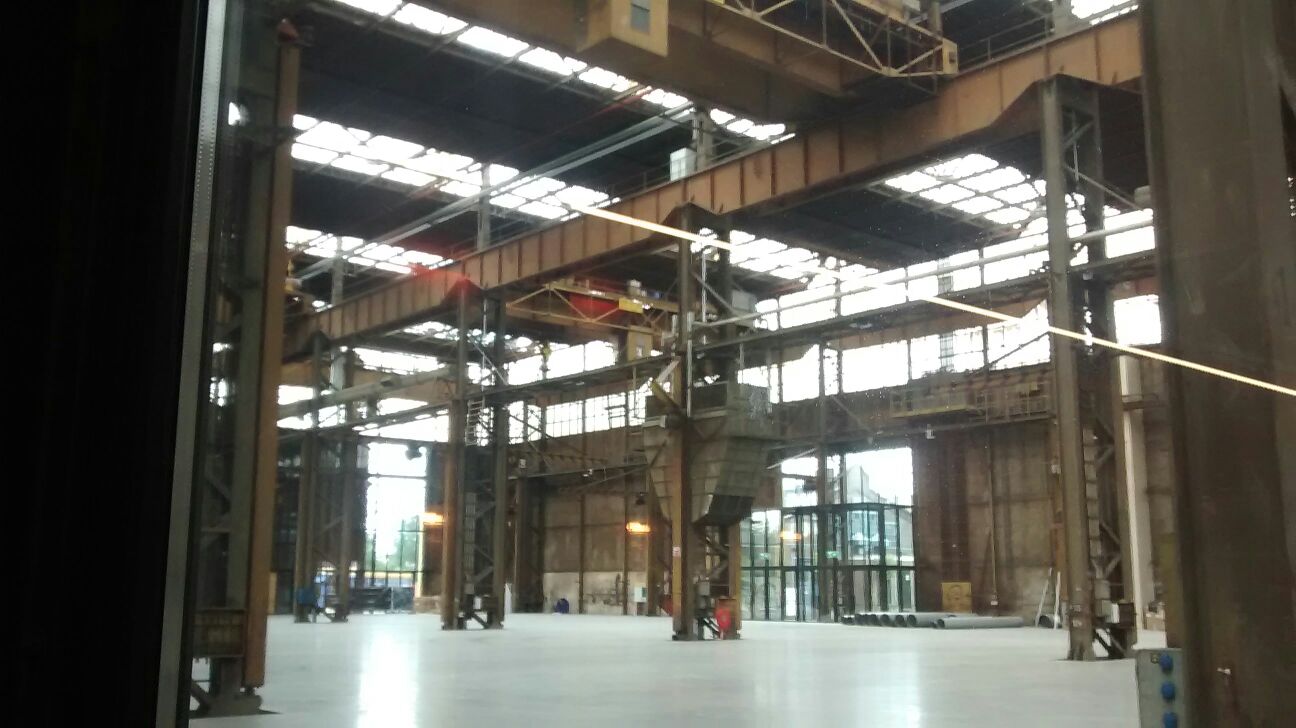
On Monday, 23 April 2018, in the evening, I was attending two talks by Brian Goetz, Oracle Language Architect, at the Werkspoorkathedraal in Utrecht. The talk was made possible with the help of several parties, for example JPoint2 and Code Nomads3.

First talk - On Software Design

This first talk was not about technical details, but more about us software designers as a group, and how we tend to be tribal like the rest of the Human Race. Our tribes are split up upon the lines of programming languages, editors, software paradigms, layout, etc.

From an evolutionary standpoint this has always been a good idea, to protect the group, from predators and other software designers. Currently, it will limit us in our way of thinking, in trying new ideas (generated "outside the tribe") and promotes right-wrong judgmental thinking, etc.

All the energy that is spent condemning other practices of software design, can be better spent on becoming a better software designer.

Most users of software do not care about software design, they care about working programs.

Software design

When comparing Functional Programming to Object Oriented Design, what immediately stands out is that Objects are a bit more ambitious compared to Functions. Functions are derived from the Procedural way of programming.

Every programming language has a "Everything is an object|function|file|thingamabob", and that works for 5 minutes, and then it becomes impractical.

A lot of programming paradigms have always been quickly hailed as the solution to all our problems. So far this has not worked out. Every programming paradigm must be seen as another tool in the software designers toolbox.

One of the more interesting questions of course is when should you apply what. I think that is where the good software designer can stand out from the rest. Brian mentioned that, in the case of object oriented versus functional, the functional is a good fit for business logic, where the object oriented is a good fit for everything surrounding the business logic, for example databases and IO.

Second Talk - All Aboard Project Amber

The second talk went quite in-depth into the new features of project Amber4 and also the problems associated with changing an old language that everyone is using, without everyone trying to hang the Language Architect. As well as how to decide what new features to add, how easy they are to add, and how much use they would be.

What was interesting was to see the area each JDK focused on, the following list was mentioned:

JDK 5
rebooting data abstraction (by means of Generics)
JDK 8
rebooting behavioural abstraction (by means of Lambdas)
JDK 9
rebooting configuration and encapsulation (by means of Modules)

Java Language Principles

He mentioned his favorite sheet, which looked like this:

  • code should be a joy to read
  • the language should not hide what is happening
  • code should do what it seems to do
  • a clear semantic model greatly boosts reusability
  • every good feature adds more bad weight
  • sometimes it is best to leave things out

General rule: type inferences is ok in implementation not in APIs.

Naming is the single most expressive place to indicate to our audience what our program is.

Raw string literals

It will be possible to use backticks to indicate a beginning and an end of a string. Everything in between will be treated as raw information.

Product types

It is a class that only contains data, for example:

record Point(int x, int y)

You could call them Plain Old Data Objects - PODOs

Disclaimer: uh, the abbreviation PODO is mine, and not Brians.

Records are like Enums, in that you decide to give up some things, and in return you get reliable defaults.

Sum types

The possibility to limit the amount of subclasses, by means of a sealed Interface. For example:

sealed Interface Shape;

record Point(int x, int y);

record Circle (Point center, int radius) implements Shape;
record Rect (Point 11, Point ur) implements Shape;

Pattern matching and the improved switch

The switch statement has always been very limiting to Strings and primitive data types.

That is why usually you had to use the Visitor5 pattern to get anything complex done.

Im going to have to point you to documentation that explains this a lot more in depth, than I can in this blog6, 7.

Conclusion

Brian talked about a lot of things, some of which I have endeavoured to transcribe here. I enjoyed listening to him immensely as he is a captivating speaker, who seems to really know what works and what not in the realm of programming languages.

Brian is a big proponent of the new Java release cadence, and what it has to offer for us software designers.

Choice quotes

I always enjoy hearing pithy comments. Somewhere along the talk, he mentioned these gems:

“Homomorphism : the translation from real world to software applications (or vice versa), where all the relations stay intact. It does not work, because inevitably information is lost during the transformation.”
- Brian Goetz

“It's very common for software designers to have opinions on things they know nothing about.”
- Brian Goetz

“Nothing is more dangerous than an idea, if it's the only idea you have.”
- Émile Chartier

“Sorcerers Apprentice Objects.”
- Brian Goetz - on classes created when you are still learning the language

“Actually I made up the term object oriented and I can tell you that I did not have C++ in mind.”
- Alan Kay

“We write in C++ so you don't have to.”
- JVM software designers.

References

[1] Brian Goetz
https://www.linkedin.com/in/briangoetz
[2] JPoint
https://www.jpoint.nl/
[3] Code Nomads
https://www.codenomads.nl/
[4] Openjdk - Project Amber
http://openjdk.java.net/projects/amber/
[5] Wikipedia - Visitor Pattern
https://en.wikipedia.org/wiki/Visitor_pattern
[6] JEP 305 - Pattern matching
http://openjdk.java.net/jeps/305
[7] JEP 325 - Switch expressions
http://openjdk.java.net/jeps/325